Inventory Consignment with Dynamics 365 Finance and Operations : What you didn’t know you needed to know

Today, I would like to cover the step by step process to explain the Inventory Consignment feature in D365 Finance and Operations. Inventory Consignment Management is the new feature introduced in D365 FinOps. This feature was not available in AX2012 and previous versions.
What is Consignment inventory?
Consignment inventory is inventory that’s owned by a vendor but stored at your site. When you’re ready to consume or use the inventory, you take over the ownership of the inventory
Consignor: In consignment management, the supplier who sends/ships goods are called consignor.
Consignee: In consignment, the receiver of the goods is called consignee.
Who own the Inventory when using Inventory Consignment?
Firstly the ownership of the inventory lies with the vendor. Once, the inventory has been consumed we need to transfer the ownership from Vendor to the Legal entity.
Configuration:
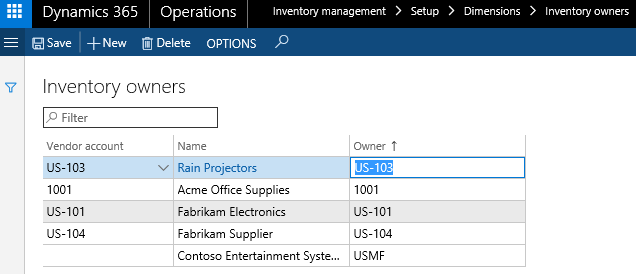
- Prerequisite setups to create inventory owners in inventory owner form available in the inventory management module.
Path: Inventory Management > Setup > Dimensions > Inventory Owners
- Tracking dimension group "Owner" must be set up for the consignment item.
Path: Product information management > Setup > Dimension and variant groups > Tracking dimension groups.
- Create and set up the consignment item in the product information management module. Make sure to activate the following setups.
- Item cost must be active.
- Item model group must be standard cost. (Consignment handling functionality only works if the item model group is a standard cost)
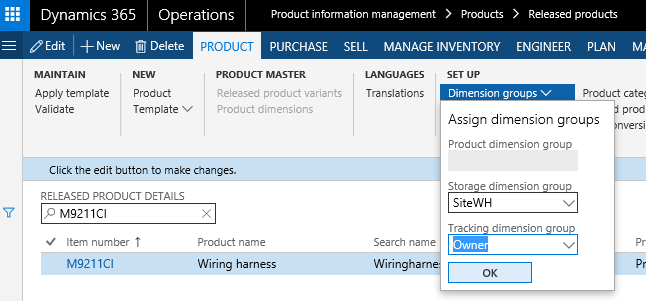
- Item tracking dimension "Owner" must be selected for the item.
- Setup ownership change journal in Inventory management module.
Path: Inventory Management > Setup > Journal names > inventory
Inventory Consignment Setup Pre-Requisites:
- Prerequisite setups to create inventory owners in inventory owner form available in the inventory management module.
Path: Inventory Management > Setup > Dimensions > Inventory Owners
- Tracking dimension group "Owner" must be set up for the consignment item.
Path: Product information management > Setup > Dimension and variant groups > Tracking dimension groups.
- Create and set up the consignment item in the product information management module. Make sure to activate the following:
- Item cost must be active.
- Item model group must be standard cost. (Consignment handling functionality only works if the item model group is a standard cost).
- Item tracking dimension "Owner" must be selected for the item.
- Setup ownership change journal in Inventory management module.
Path: Inventory Management > Setup > Journal names > inventory
Consignment Management:
- The first step is to create the consignment replenishment orders in the procurement and sourcing module.
Path: Procurement and sourcing > Consignment > Consignment replenishment orders.
- Create consignment replenishment order,select the vendor, site, and warehouse. Also, select the requested and confirmed delivery dates.
- Create lines for the consignment replenishment order.
- Generate and Post the product receipt for the consignment replenishment order.
- When consignment stock arrives against the replenishment order, the product receipt is posted, there will be no financial impact in GL. At this stage ownership of the inventory lies with the Vendor. Only physical quantities will be recorded under the ownership of the vendor. On-hand, a consignment form will be updated.
Path: Vendor Collaboration > Consignment inventory > On-hand consignment inventory
- Now that the physical inventory is on-hand, the production process reserves the vendor-owned inventory and starts the production order for the finished goods that are going to consume the raw material.
- After the item is consumed in the inventory, use the ownership change journal to transfer the ownership from the Vendor to the Legal entity.
Path: Inventory management > Journalentries > Items > Inventory ownership change.
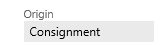
This process creates purchase orders where the Origin field is set to Consignment.
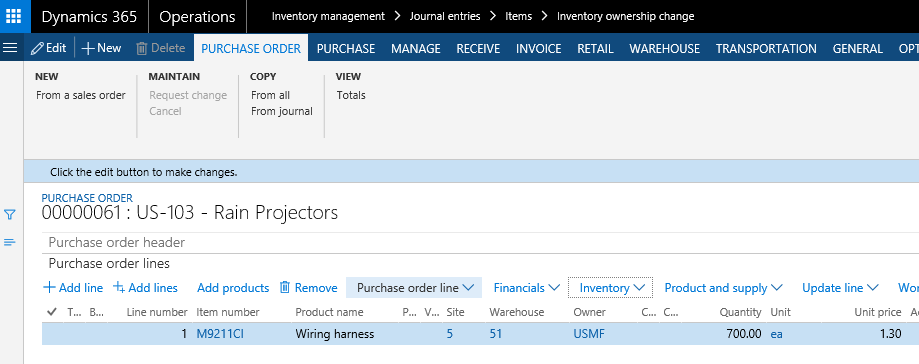
- The next step is to post the inventory ownership change journal. This will create the product receipt for the purchase order. The vendor monitors the consumption (change of ownership) on the Products received from consignment inventory page and issues an invoice based on the agreements between the two companies. We can also see in the below screenshot that the system has generated the purchase order.
- Below is the screenshot for the purchase order generated once the inventory ownership change journal has been posted. We can see that the purchase order origin is "Consignment". The purchase order status is confirmed and received.
- The business user can view the ownership status of the inventory:
Path: Inventory management> inquiries and reports> On-hand list
- Note that the "Ownership" lies with the legal entity.
- Purchase order Invoice is posted in the below screenshot. The status of the purchase order will become "Invoiced" and the inventory transaction status will be "Purchased"
- The business user will use the Payment journal to perform the vendor payment against the purchase order.
Notes:
- The physical movement of the vendor-owned inventory between different warehouses is processed using a transfer journal.
- The physical inventory on-hand is updated using an Item counting journal. Counting can also be used by the vendor to update the on-hand inventory if they have permission to do this.
- The vendor can monitor the updates using the On-hand consignment inventory page and on-hand inventory list form available in the inventory management module.
Additional Considerations:
The consignment replenishment order is not compatible with the "Warehouse Management Processes" including the "Warehouse Mobile App". However, use Power App to register and scan items to automate the processing.Overview
It is possible to have consignment inventory owned by a vendor but stored at your site. When you’re ready to consume or use the inventory, you take over ownership of the inventory.
This blog post includes information about:
- How to physically receive vendor-owned on‑hand inventory without creating general ledger transactions.
- How to start a production process where the vendor-owned inventory can be physically reserved.
- How to change the ownership of the raw material so that you can process the consumption as part of production order processing.
- There is also some information about how vendors can monitor consumption of their inventory by using the vendor collaboration interface.
By reading this this blog post, you will learn how to:
- Enable inbound consignment inventory by associating an inventory owner dimension value with a vendor account.
- Create a consignment replenishment order header and line to record and process inbound vendor-owned inventory.
- Physically receive vendor-owned on‑hand inventory.
- Monitor inventory cost values when you have on‑hand inventory that is owned by both your own company and the vendor.
- See which on‑hand inventory is owned by you, and which is owned by the vendor.
- Initialize a production order with lines that are physically reserved/picked against vendor-owned on‑hand inventory.
- Process an ownership change journal that is linked to a production, to record the change of ownership of the inventory from the vendor to the current legal entity.
- Monitor the consumed inventory that external vendors must invoice your company for.
- Adjust vendor-owned on‑hand inventory by using counting processes.
- Transfer vendor-owned inventory between storage dimensions.
The demo data company USMF is used for this blog post.
The materials manager (Karl) associates an existing vendor with an inventory owner dimension value.
To track the ownership of the on-hand inventory, it is possible to associate a vendor account with an inventory owner dimension value from the page:
Inventory management > Setup > Dimensions > Inventory owners
It is possible to add a vendor account to the list. The Owner value can be updated to a value that differs from the vendor account number in case you would like to track it differently within the inventory dimension values. The Owner value will be shown to the vendor in the vendor collaboration interface.
Note: The current legal entity owner is created automatically. In this case, the owner dimension value is USMF for all processes that are not related to consignment inventory.
The product designer (Emil) creates a new tracking dimension group and raw material product for consignment inventory.
Click Product information management > Setup > Dimension and variant groups > Tracking dimension groups.
Search for an existing Owner tracking dimension group, or create a new Tracking dimension groupthat has the Owner tracking dimension set to Active.
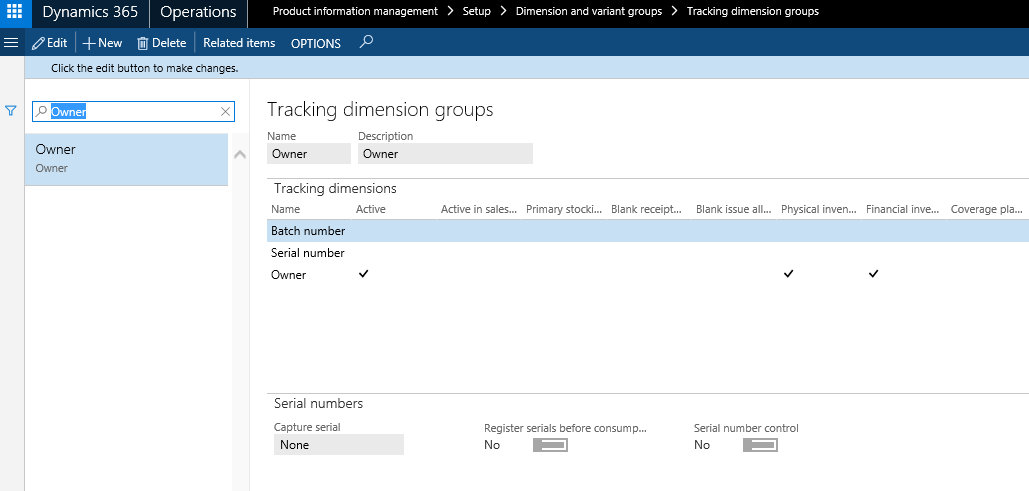
When the Tracking dimension group gets assigned to a released product, it will be possible to track the ownership of the on-hand inventory.
Only Items using Standard cost or Moving average costing methods are supported using the Owner dimension.
The purchasing agent (Alicia) manually creates a consignment replenishment order.
Procurement and sourcing > Consignment > Consignment replenishment orders
A new consignment replenishment order has been enabled to record and process inbound consignment inventory.
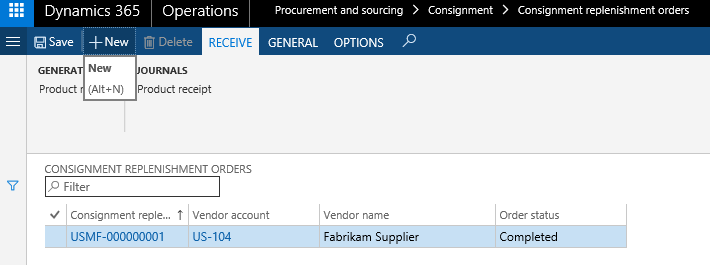
The order has a very simple UI with header and lines.
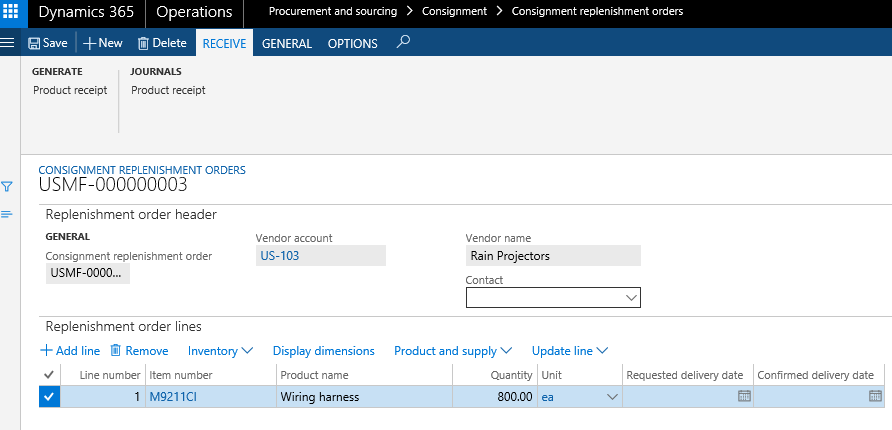
As for the purchase order, the consignment replenishment order lines will create expected inventory transactions and the owner dimension value will automatically be assigned based on the linked value related to the vendor account.
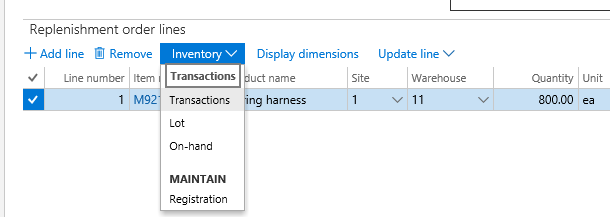

The receiving clerk (Sammy)/purchasing agent (Alicia) performs product receipt against the consignment replenishment order.
To get the vendor-owned inventory physically updated, a registration (either via arrival journal or inventory registration) can be processed.
To get the order and inventory transactions into the final state, run the Product receipt update from the consignment replenishment order.
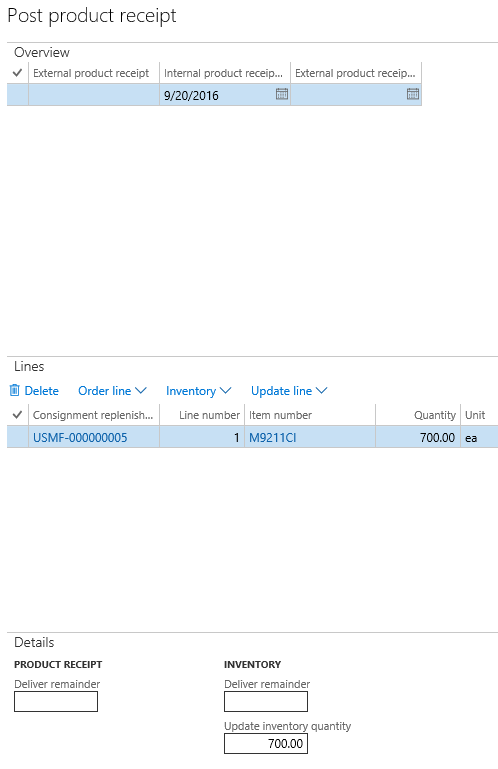
Note: An External product receipt value isn’t required during the product receipt update process. An Internal product receipt number will be used for tracing.
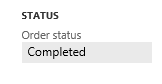
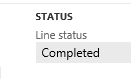
The order status (header/lines) will be updated to Completed as soon as all quantities gets updated.
The inventory accountant (Cassie) monitors the inventory values and cost objects.
It is important to understand that during the consignment replenishment order product receipt process, no cost value will be recorded, and no general ledger transactions will be created.
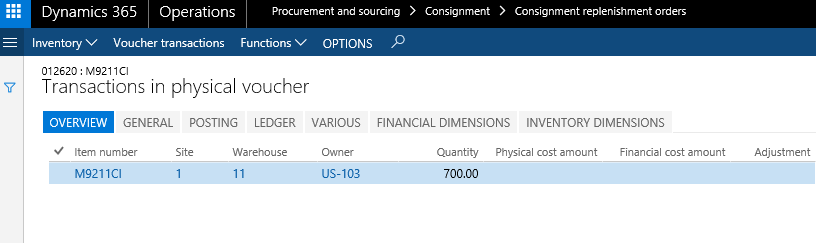
This means that all inventory statements and KPIs will show values as 0 (zero).
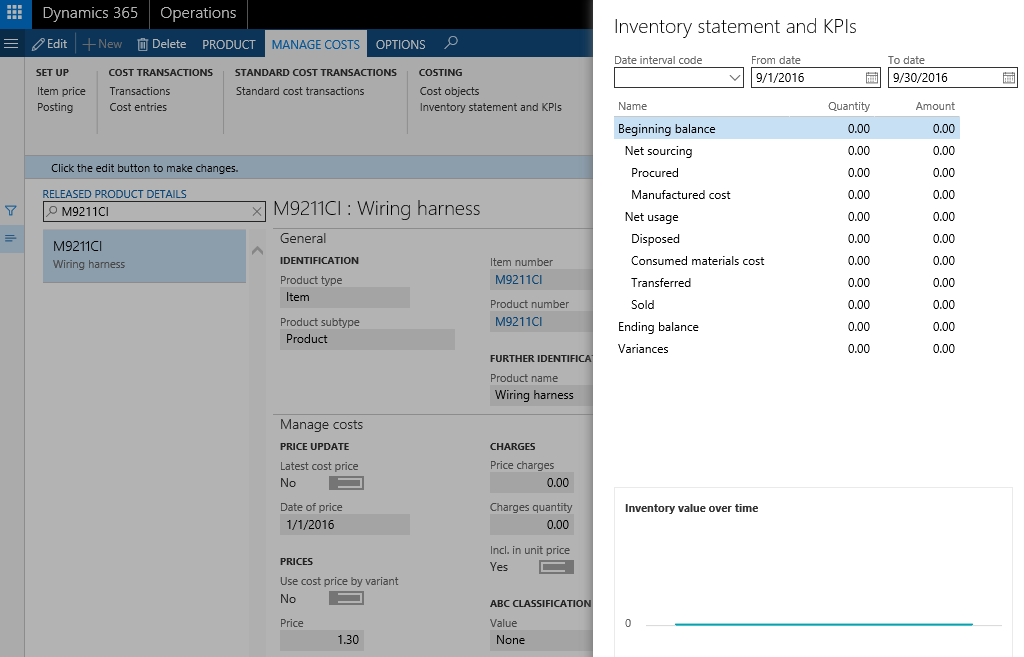
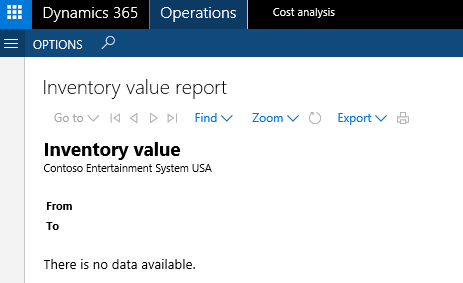
No Inventory value will exist because the on-hand inventory is not owned by the current legal entity USMF.
The external vendor (Erin) monitors on-hand consignment inventory.
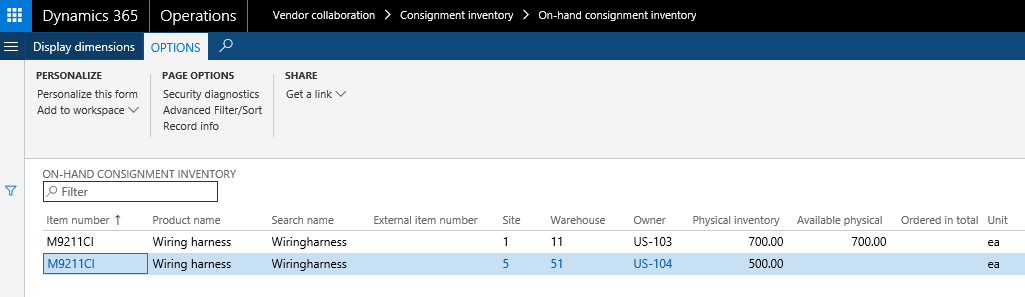
On the Vendor collaboration page, it is possible to monitor the on-hand inventory information related to consignment inventory.
Vendor collaboration > Consignment inventory > On‑hand consignment inventory.
An external user will be able to monitor on-hand inventory for several vendor accounts (inventory owners) depending on setup.
The shop supervisor (Lars) initializes the production.
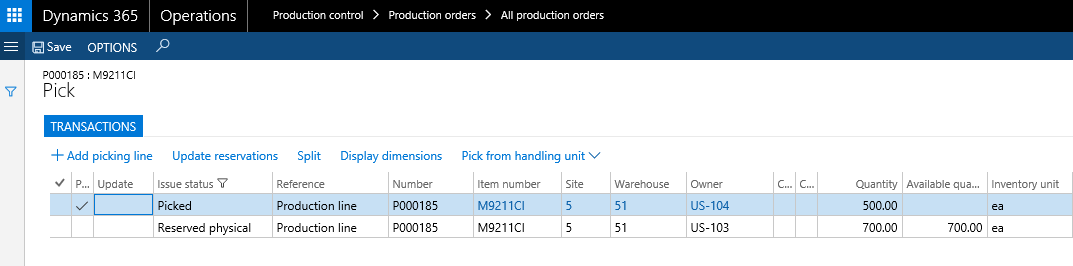
The production line inventory transactions can become reserved and even updated to the status Picked and having the owner dimension value different from the current legal entity. When reserving, the on-hand inventory owned by the current legal entity will take precedence over the vendor-owned inventory.
The materials manager (Karl) processes an inventory ownership change based on production lines.
Inventory management > Journal entries > Items > Inventory ownership change
To record an inventory ownership change, a new journal has been enabled.
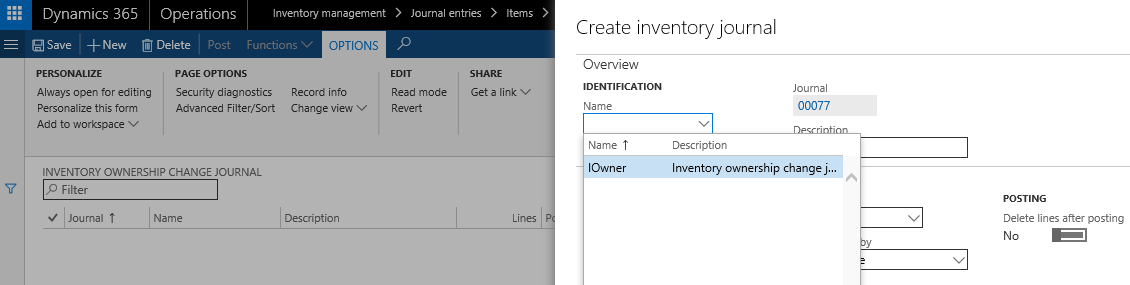
The journal lines can be manually entered or created based on a query linked to production lines.
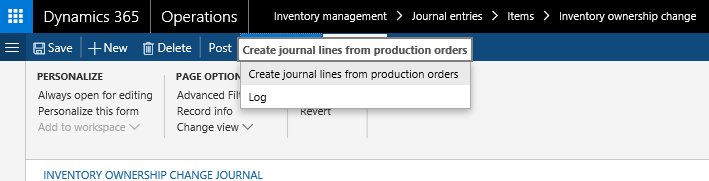
It is only possible to change the owner dimension value that equals the current legal entity.
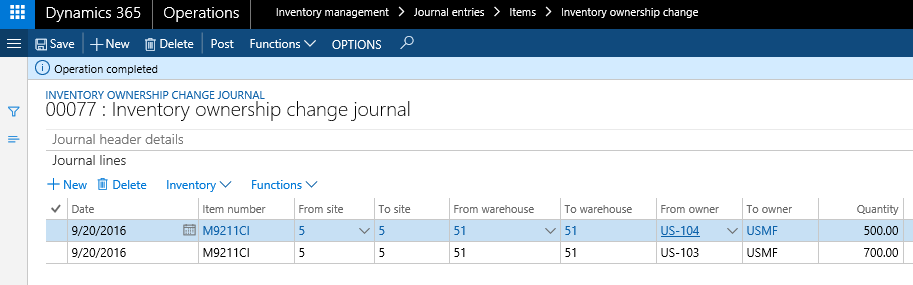
When posting the journal, the vendor-owned on-hand inventory will be issued out via an ownership change transaction reference and received on the current legal entity (USMF) dimension value via a Purchase order process. The inbound transactions will become product receipt updated (Received) and the price calculations can be based on the Item prices or Trade agreements.

The purchase order lines created based on the consignment process will have the Origin = Consignment.
From the Purchase order line, it will be possible to view the related ownership change transactions, and from the Inventory ownership change journal lines, it will be possible to see the related production line transactions.
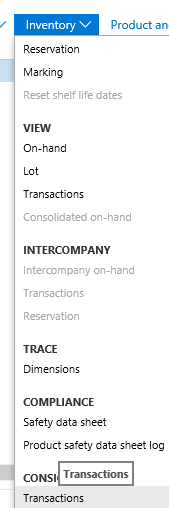
As it can be seen from the above screenshot, the inventory ownership change process automatically updated the Issue field with Reserved physicallyand Picked and the Owner dimension value is updated to USMF.
Therefore, the production flow can continue for the raw material, so that the material can become consumed and put into WIP.
The external vendor (Erin) monitors the consumption of material.
The external vendor can monitor the consignment inventory ownership updates via the page Vendor collaboration > Consignment inventory > Products received from consignment inventory.

The vendor can also see detailed information about the expected invoicing process by viewing the purchase order information.
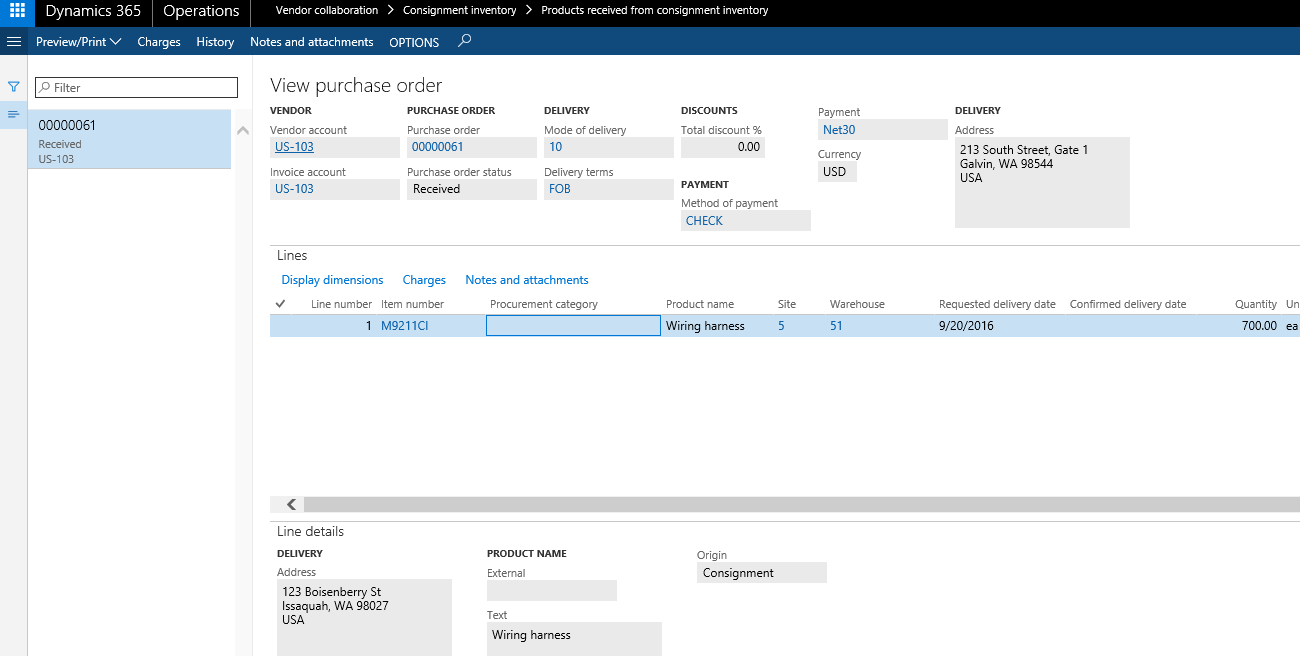
The warehouse manager (Ellen) creates an on-hand counting journal for vendor-owned on-hand inventory.
In addition to the Consignment replenishment order, the vendor-owned on-hand inventory can be recorded via a counting process. Note: The data connector can be used to create and update counting lines.
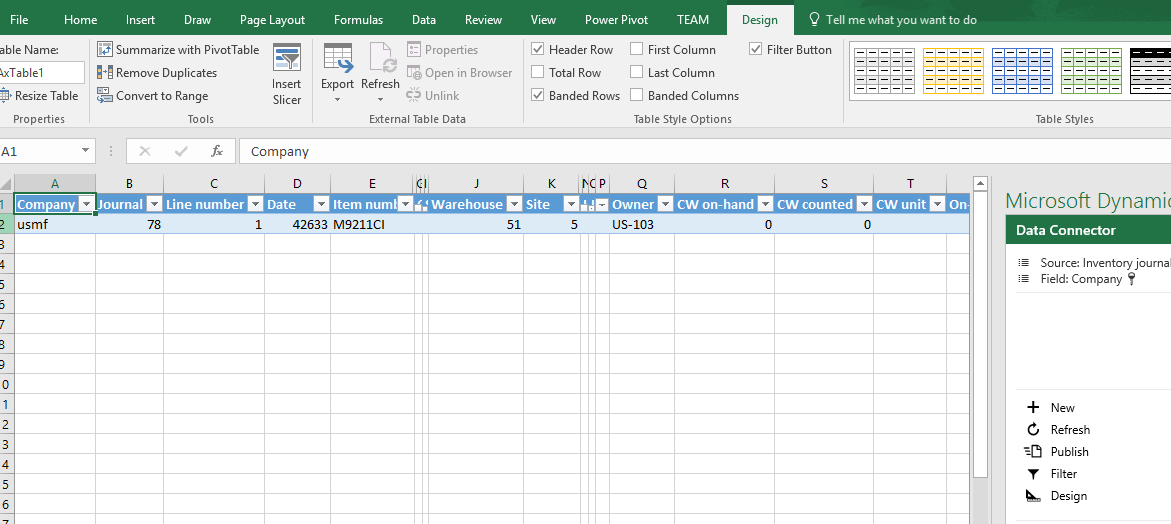
The warehouse worker (John) transfers vendor-owner inventory to production.
In case the vendor-owned inventory needs to be registered and transferred to another storage dimension, for example another location, the Transfer journal can be used.
The original Microsoft released inventory consignment post can be found at:
Additional resources: Microsoft Learn
Set up consignment
https://learn.microsoft.com/en-us/dynamics365/supply-chain/inventory/consignment


Comments
Post a Comment